















Go Back

Vehicle Loans

VISA Credit Card

Savings Secured Loans

Personal Loans

Your Style Loans

Vehicle Loans

Vehicle Loan

Personal Loans

Personal Loan

Visa Credit Card

Visa Credit Card

Savings Secured Loan

Savings Secured Loan

Your Style Loan

Your Style Loan

Home Equity Loan

Home Equity Loan

Vehicle Loans

Checking

Savings

Savings

Newspaper Icon

Financial Counseling

Go Back
Overdraft Protection

Overdraft Protection

estatement and alerts

eStatements & eAlerts

direct deposit

Direct Deposit

Frequently Asked Questions

FAQs

Your Style Loan

Careers

Newspaper Icon

News & Updates

Our New Digital Experience

We’re getting ready to launch a new online and mobile banking experience designed to make managing your money easier, faster, and more intuitive.

Starting June 17, you’ll have access to a redesigned platform that brings everything together in one place, with tools that help you stay in control and on track.

Here’s what you can expect:
• A cleaner, more modern dashboard
• Easier transfers and payments
• Custom alerts and account controls
• A seamless experience across desktop and mobile

When the new system goes live, you’ll log in with your current username and follow a few quick steps to get set up.

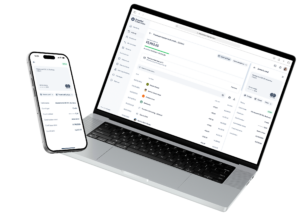
Take a look below at some of the new features.

A one-stop shop

A set of features built for your financial needs: 

  • Deposit checks using the camera on your smart phone
  • Access your accounts from the home screen. 
  • Schedule payments and make them recurring so you don’t miss due dates 
  • Add your accounts from other financial institutions to your digital banking so you can conduct all of your finances in one swoop
  • Move, send and receive money and make transfers between accounts 
  • Contact us directly through your digital banking portal for any questions you may have securely 


computer

It's all about you

  • Securely update all of your personal details and contact information online
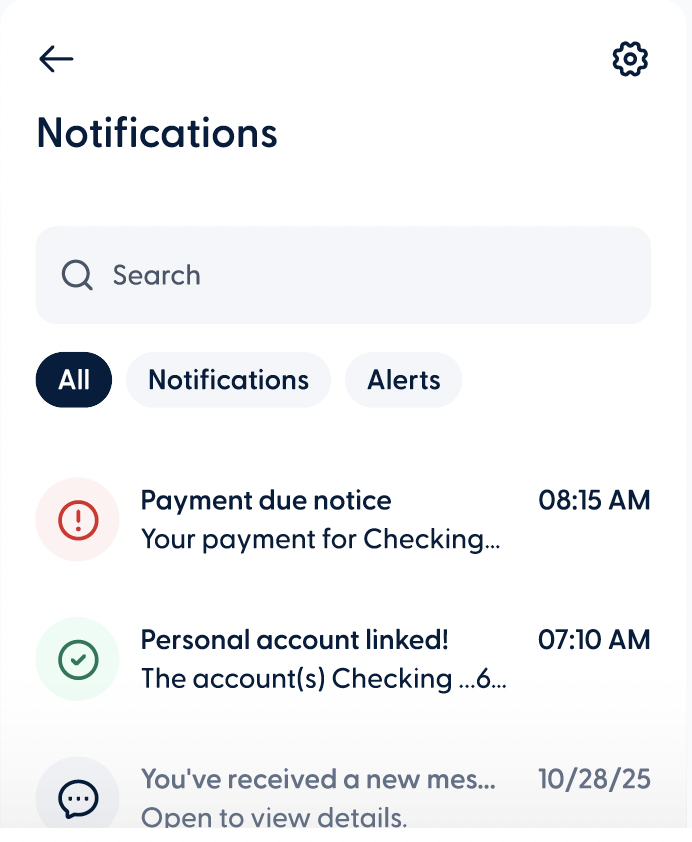
  • Choose the kinds of notifications you want from our credit union 
  • Configure and schedule account alerts to stay on top of your account activity
  • Customize the order of your accounts as you prefer 

Human touch

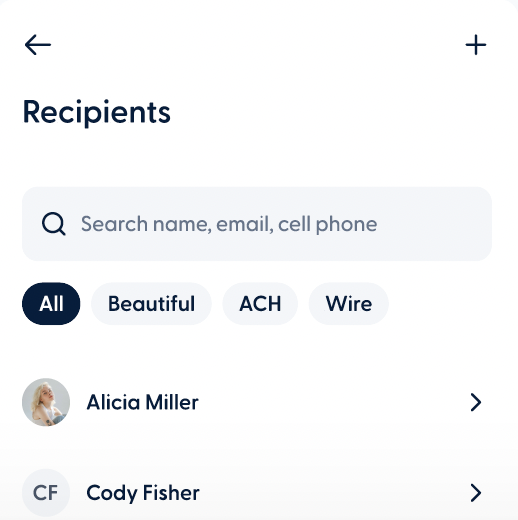
  • Your contact list is your digital Rolodex for sending and requesting money without having to re-enter information every time
  • Save a phone call or a trip to the branch by connecting with us through direct message
screenshot

Safe and sound

Add an extra layer of protection and convenience to your account with multi-factor authentication and biometrics. 

Frequently Asked Questions

Starting at 8:00 AM ET on June 17th, please click the “Sign in” box on the Promedica FCU website.

What you need to do:

  1. Log in using your current online banking username & password.
  2. Follow the on-screen instructions to complete the migration process. ○ You’ll be asked to confirm your identity using a verification code sent to the email address or phone number we have registered.
  3. If your username (also known as your @You) is available in the new system, you can keep it.

You will be prompted to create a new password and review/update basic profile information.

The new online banking platform uses a unique @You username for every user. If the username you selected is already in use, please choose a different variation or modify it slightly so it’s unique to you.

Only one member can be the primary user on an account. If you are a joint owner and would like your own separate login, please contact Promedica FCU at (419) 479-1300 for assistance.

If you previously set up automatic transfers between your Promedica FCU accounts, those transfers were migrated automatically. You do not need to re-enter them.

Yes! Once logged in:

  1. Select the account you want to manage.
  2. Click “Account Options” from the dropdown menu.
  3. Select “Account Alerts”. From there, you can create, edit, or delete alerts based on your preferences.

After logging in:

  1. Go to “Move Money”
  2. Select “Send Money”
  3. Follow the prompts to add a recipient and complete the transfer.

Yes. From the main page after logging in:

  • Select “Organize Accounts”
  • Use the toggle to hide or show accounts Drag and drop accounts to display them in your preferred order

iPhone users: Download the new update of the Promedica FCU app from the App Store.

Android users: Download the new update of the Promedica FCU app from Google Play.

Make sure you are using the updated app, as the old version will no longer work.

Yes. Your scheduled bill payments will continue to process as expected. We recommend logging in to review your payments and confirm that dates and amounts are correct.

See the new online banking experience in action

Your new online banking experience is almost here

More News & Updates